


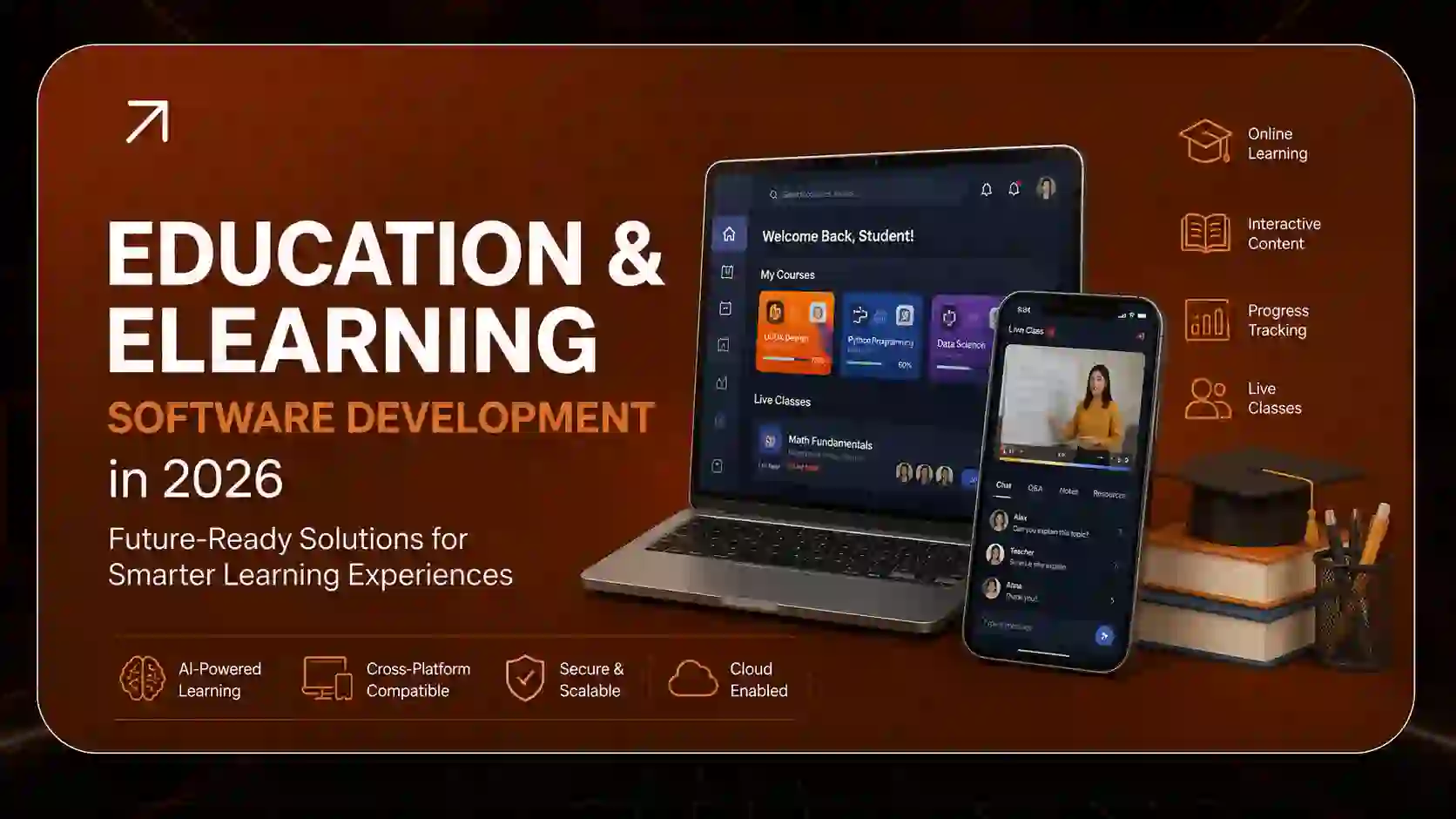
Education & eLearning Software Development in 2026: The Complete Guide to Building a Custom LMS in the USA
Learning has moved off the whiteboard for good. Today, a nurse finishes compliance training on her phone during a shift break, a high school student gets instant feedback from an AI tutor at 11 p.m., and a pilot practices an emergency landing inside a VR simulator in Orlando without ever leaving the ground.
Each of those moments runs on software that someone designed, built, and maintains.
If you’re a university CTO, a corporate training director, or an edtech founder, you’ve probably noticed that off-the-shelf platforms don’t fit your needs as well as they used to. This guide covers eLearning software development in 2026: what it is, what it costs, which features matter, how AI is changing it, and how to choose the right education software development company in the USA.
What Is eLearning Software Development?
eLearning software development is the process of designing, building, and maintaining digital platforms that deliver, manage, and track learning online. This includes learning management systems (LMS), learning experience platforms (LXP), mobile learning apps, virtual classrooms, assessment tools, and AI-powered tutoring systems.
In simple terms, it’s the engineering behind every online course, training portal, and education app you’ve ever used.
The Main Types of Education Software
Most edtech software development projects fall into one of these categories:
- Learning Management System (LMS): The central hub for hosting courses, enrolling learners, tracking progress, and issuing certificates. Moodle and Canvas are well-known examples.
- Learning Experience Platform (LXP): A learner-centered platform that recommends content based on skills, interests, and career goals, much like Netflix recommends shows.
- Mobile learning apps: Smartphone-first apps built for microlearning, offline access, and on-the-go training.
- Virtual classroom software: Live video teaching tools with whiteboards, breakout rooms, polls, and recordings.
- Student Information System (SIS): Software that manages enrollment, grades, attendance, and student records.
- Content authoring tools: Tools that let instructors build interactive lessons, quizzes, and simulations without writing code.
- Assessment and e-proctoring software: Secure online exam platforms with identity verification and cheating detection.
- Immersive learning platforms: AR/VR simulations for high-risk, hands-on training.
LMS vs LXP vs CMS: What’s the Difference?
People mix these three up constantly, so here is the short version:
LMS = Administrator-driven. It assigns, tracks, and reports on training.
LXP = Learner-driven. It personalizes and recommends content based on skills and interests.
CMS = Content-driven. It publishes and manages web content, with no learning tracking built in.
Many organizations in 2026 run a hybrid, with an LMS for compliance and reporting and an LXP layer for engagement and skill growth.
Why eLearning Software Development Matters in 2026
The question for schools and businesses is no longer whether to offer digital learning. It’s whether their current platform can keep up with what learners now expect.
Learner Expectations Have Changed
Learners now expect the same experience from training software that they get from consumer apps. They want:
- Personalized content, not one-size-fits-all courses
- Mobile access that works offline
- Short, bite-sized lessons they can finish in minutes
- Instant feedback and support
- Clean, accessible design
A clunky legacy LMS can’t deliver that, and it shows up in low completion rates and disengaged learners.
Compliance Pressure Is Rising
Accessibility is now a legal requirement as well as good practice. The U.S. Department of Justice’s 2024 ADA Title II rule requires state and local government entities, including public schools and universities, to make web content and apps meet WCAG 2.1 Level AA. Student data privacy under FERPA and children’s privacy under COPPA also demand careful engineering from day one.
Training Needs to Show ROI
Corporate L&D leaders are under pressure to prove impact. Leadership wants evidence that people gained skills, beyond the number who finished a course. That requires modern learning analytics and tracking standards like xAPI, which most older platforms don’t fully support.
Key Features Every LMS Should Have in 2026
A modern LMS in 2026 should include AI-powered personalization, mobile-first design, xAPI/SCORM support, advanced analytics, WCAG accessibility, and seamless integrations with tools like Zoom, Salesforce, and HR systems.
Here’s a practical eLearning platform features list to use as your LMS development checklist.
Core Learning Features
- Course creation and content management
- User roles and permissions (admin, instructor, learner, manager)
- Enrollment, cohorts, and learning paths
- Quizzes, assignments, and assessments
- Certificates and badges
- Discussion forums and social learning
Advanced Features That Set Platforms Apart
- Personalized learning paths driven by AI
- Gamification in eLearning: points, leaderboards, streaks, and rewards
- Learning analytics dashboard with predictive insights
- Multi-tenant LMS architecture for serving multiple clients or departments
- White label LMS branding options for resellers
- Offline mode for mobile learners
- E-commerce for selling courses and subscriptions
Integration Features
A modern platform shouldn’t operate in isolation. Strong API integrations for LMS connect your platform to:
- Zoom, Microsoft Teams, and Google Meet
- Salesforce and HubSpot
- HRIS tools like Workday and BambooHR
- SIS platforms
- Payment gateways like Stripe
- Single sign-on (SSO) providers
If integrations are central to your project, our guide to API integration services explains how connected systems are planned and built.
The 6 Innovation Pillars of EdTech Software Development
The edtech market in 2026 is moving away from passive video libraries toward interactive, intelligent platforms. These six pillars are where most serious investment is going.
1. AI & Adaptive Learning Platforms
AI is changing eLearning by personalizing learning paths, automating grading, powering 24/7 chatbot tutors, and predicting which learners are at risk of falling behind.
Adaptive eLearning software development uses algorithms that adjust difficulty in real time. If a learner answers three questions correctly, the next one gets harder. If they struggle, the system offers a simpler explanation or a refresher video.
Common AI features being built today:
- AI-powered tutoring systems that answer questions in natural language
- AI chatbots for student support that handle enrollment, deadlines, and FAQs
- Automated content generation for quizzes and summaries
- Smart grading for essays and short answers
- Early warning systems that flag disengaged learners
How do you integrate AI into an existing educational platform? In most cases, you don’t need to rebuild. A development team can add AI through APIs, connecting large language models to your existing course content with retrieval-augmented generation (RAG), so the AI answers from your own material rather than guessing. We cover this approach in depth in our article on AI integration in custom software.
2. Learning Experience Platforms (LXP)
Corporate training directors are replacing rigid legacy systems with skills-based LXPs. The goal is to make learning feel self-directed rather than mandatory.
A custom LXP typically includes:
- Skills mapping and gap analysis
- Content recommendations from internal and external sources
- User-generated content and peer learning
- Career path visualization
Can you upgrade an LMS to an LXP? Yes. Many organizations keep their LMS for compliance tracking and add an LXP layer on top. This is often cheaper and less disruptive than a full replacement.
3. Mobile-First & Microlearning
Frontline workers, retail staff, and Gen Z students rarely sit at a desk to learn. They learn from their phones in short bursts.
Microlearning app development focuses on:
- 3-to-5-minute lessons
- Push notifications and learning reminders
- Offline downloads for low-connectivity areas
- Swipe-friendly, thumb-first design
- Spaced repetition to improve retention
React Native vs Flutter for microlearning apps?
React Native is a strong choice if your team already works in JavaScript/React and you want to share logic with a web platform.
Flutter offers highly consistent UI across devices and smooth animations, which suits gamified learning.
Both are solid choices. The better pick depends on your team and roadmap. For a deeper breakdown, read cross-platform vs native app development and our guide to mobile-first web development.
4. AR/VR & Immersive Simulation
Some skills are too dangerous, expensive, or rare to practice in real life. Immersive learning (AR/VR in education) solves that problem.
Popular use cases include:
- Flight and aviation training
- Surgical and clinical practice
- Equipment operation and safety drills
- Customer service role-play
- Defense and emergency response
This is especially relevant to Orlando. Central Florida is widely recognized as a national hub for modeling, simulation, and training, with military simulation organizations clustered around the Central Florida Research Park. That makes VR training software development in Florida a natural fit for local buyers in defense, aviation, and healthcare.
5. EdTech Data & Analytics Dashboards
Tracking course completions isn’t enough anymore. Administrators want to know whether learning actually changed behavior or performance.
eLearning predictive analytics software can show:
- Which learners are likely to drop out
- Which lessons cause the most confusion
- How training links to job performance or grades
- Time-to-competency across teams
This is where xAPI (Tin Can API) matters. Unlike older standards, xAPI can track learning that happens anywhere: in apps, simulations, videos, or even offline. The official specification is maintained by ADL (Advanced Distributed Learning).
6. Local Florida Agency Trust
CTOs and procurement officers increasingly prefer onshore, US-based development partners. Timezone gaps, data security worries, and compliance risks make offshore teams harder to justify for sensitive education data.
A Florida-based team offers:
- Real-time collaboration in US business hours
- Stronger familiarity with FERPA, COPPA, and ADA requirements
- Easier in-person meetings and workshops
- Clear legal accountability under US law
Technical Comparisons Decision-Makers Should Understand
Before you contact a development agency, it helps to understand the architectural choices ahead. These comparisons come up in almost every discovery call.
Custom LXP vs Off-the-Shelf LMS
Off-the-shelf LMS: Faster to launch and lower upfront cost, but you pay recurring license fees, accept feature limits, and depend on the vendor’s roadmap.
Custom LXP/LMS: Higher upfront investment, but you own the platform, control the features, and avoid per-user licensing as you scale.
Rule of thumb: If you have fewer than a few hundred users and standard needs, SaaS usually wins. If you have unique workflows, thousands of users, or plan to sell your platform, custom usually pays off over time. Our custom vs off-the-shelf software comparison walks through the same decision framework.
SCORM vs xAPI for eLearning Tracking
SCORM: The long-established standard. It tracks completion, scores, and time spent, but only inside an LMS and a browser.
xAPI: The modern standard. It tracks almost any learning experience, including mobile, offline, simulations, and real-world tasks, and stores data in a Learning Record Store (LRS).
Is SCORM still relevant in 2026? Yes. Huge libraries of existing content are SCORM-based, so a SCORM/xAPI compliant LMS is the safest choice. The newer cmi5 standard bridges the two by combining xAPI’s flexibility with LMS-style launch rules. For platform-to-tool connections, the 1EdTech LTI standard is also essential. You can explore SCORM’s technical details at SCORM.com.
Headless LMS vs Monolithic LMS
Monolithic LMS: Frontend and backend are tightly bundled. It’s simpler to start with but harder to customize or scale.
Headless LMS: The backend delivers content through APIs to any frontend, whether web, mobile, kiosk, or VR headset. It’s more flexible and future-ready.
The same logic applies to content systems, which we explain in headless vs traditional CMS.
Onshore USA vs Offshore EdTech Development
Offshore: Lower hourly rates, but often slower communication, timezone delays, and higher compliance risk.
Onshore (USA): Higher hourly rates, but faster decisions, fewer rework cycles, and stronger data protection.
Many companies find the total cost gap narrower than expected once delays and rework are included. Read our detailed breakdown of offshore vs nearshore vs onshore software development.
How Much Does It Cost to Build a Custom LMS in the US?
A custom LMS in the US typically costs $40,000 to $80,000 for an MVP, $80,000 to $200,000 for a mid-level platform, and $200,000 to $500,000+ for an enterprise system with AI, analytics, and complex integrations.
These are general industry ranges. Your actual cost depends on scope, team, and timeline.
eLearning Software Development Cost Breakdown
Basic MVP ($40K–$80K): Course management, user roles, quizzes, certificates, and basic reporting.
Mid-Level Platform ($80K–$200K): Mobile apps, gamification, SCORM/xAPI support, payment integration, and custom dashboards.
Enterprise Platform ($200K–$500K+): AI personalization, multi-tenant architecture, virtual classrooms, advanced analytics, SSO, and deep HR/CRM integrations.
What Drives the Cost Up or Down?
- Number and complexity of features
- Web only vs web plus iOS and Android apps
- AI and machine learning components
- AR/VR modules
- Compliance requirements (FERPA, COPPA, WCAG, SOC 2)
- Number of third-party integrations
- Team location and seniority
Pro tip: Start with a focused MVP, test it with real learners, and expand from there. Our 90-day MVP development guide shows how to do this without overspending. For broader pricing context, see custom software development cost in the USA and how much it costs to build an app in 2026.
How Long Does It Take to Develop a Custom eLearning Platform?
Most custom eLearning platforms take 3 to 5 months for an MVP and 6 to 12 months for a full-featured enterprise LMS. Complex AI or VR components can extend that timeline. See our custom software development timeline for a phase-by-phase view.
How to Build a Custom LMS in 2026: Step-by-Step Process
Here’s the eLearning software development process step by step, as it works in real projects.
- Discovery and research. Define your learners, goals, pain points, and success metrics.
- Requirements documentation. Turn ideas into a clear feature list. Our guide to writing a software requirements document helps here.
- UX/UI design. Build wireframes and prototypes, then test them with real users.
- Architecture and tech stack selection. Choose between monolithic, headless, or multi-tenant designs.
- Agile development. Build in short sprints with regular demos. Compare methods in Agile vs Waterfall development.
- Integrations. Connect video, payments, HR, CRM, and SSO tools.
- Quality assurance and testing. Test performance, security, accessibility, and devices. See our software testing best practices.
- Launch and onboarding. Roll out in phases and train admins and instructors.
- Support and iteration. Monitor analytics, gather feedback, and improve continuously.
For a broader look at this lifecycle, read our SDLC guide for business owners.
What Is the Best Tech Stack for Building an LMS?
There is no single best tech stack, but a common modern LMS stack uses React or Next.js for the frontend, Node.js or Python (Django) for the backend, PostgreSQL for data, and AWS or Azure for cloud hosting.
Popular Technology Choices
- Frontend: React, Next.js, Vue.js, Angular
- Mobile: React Native, Flutter, Swift, Kotlin
- Backend: Node.js, Python (Django/FastAPI), PHP (Laravel), Java, .NET
- Databases: PostgreSQL, MySQL, MongoDB
- Video: AWS Media Services, Mux, Vimeo API
- Real-time: WebRTC, WebSockets
- AI: OpenAI, Anthropic, and Google APIs, plus vector databases for RAG
- Cloud: AWS, Microsoft Azure, Google Cloud
How Secure Is Student Data in a Cloud-Based LMS?
A well-built cloud-based LMS can be very secure when it uses encryption in transit and at rest, role-based access control, SSO/MFA, regular security audits, and FERPA/COPPA-compliant data policies.
Security depends far more on how the platform is built than on whether it’s in the cloud. Learn more in our cloud vs on-premise comparison.
Key Skills Behind Successful EdTech Software Development
Great education software takes more than coding ability. The strongest edtech software developers combine several skill sets:
- Full-stack engineering for web and backend systems
- Mobile development for iOS and Android
- Instructional design knowledge so software supports how people actually learn
- UX writing and design for clear, accessible interfaces
- Data engineering for analytics and xAPI tracking
- AI/ML engineering for personalization and chatbots
- Compliance expertise in FERPA, COPPA, ADA, and WCAG
- 3D and game development for AR/VR simulations
Job Scope, Salary, and Demand in EdTech Development
Education technology is one of the steadier corners of the software market because learning never stops. Schools, companies, governments, and healthcare systems all need to train people continuously.
Demand Outlook
The U.S. Bureau of Labor Statistics projects much faster than average job growth for software developers over the coming decade, with median pay well into six figures. EdTech benefits directly from that trend, especially in AI, mobile, and data roles.
In-Demand EdTech Roles
- LMS developer
- Full-stack edtech engineer
- Mobile learning app developer
- AI/ML engineer for education
- Learning data analyst
- AR/VR simulation developer
- Instructional technologist
- EdTech product manager
For companies struggling to hire these specialists, staff augmentation is a fast way to add skilled US-based engineers without long recruiting cycles. Our IT staff augmentation cost guide explains pricing.
Real-World Examples of eLearning Software Done Right
Looking at established platforms makes it easier to see what works.
- Moodle: An open-source LMS used by schools and universities worldwide. Many organizations build custom plugins and themes on top of it, which is where Moodle alternative development and customization projects often begin.
- Canvas by Instructure: A popular LMS in US higher education, known for its clean interface and strong LTI integration ecosystem.
- Duolingo: A strong example of mobile-first microlearning, gamification, and adaptive difficulty working together to keep learners coming back daily.
- Khan Academy’s Khanmigo: An AI tutor that guides students toward answers instead of simply handing them over, showing how AI tutoring can support learning rather than shortcut it.
- Walmart’s VR training program: The retailer rolled out VR headsets across its training academies and stores to help employees practice real-world scenarios, one of the best-known large-scale immersive corporate training examples.
The lesson from all five: successful platforms put the learner experience first and use technology to serve that experience.
Why Hire a Software Development Agency in Orlando, Florida?
Orlando is a strong choice for edtech development because it combines a deep simulation and training industry, a growing tech talent pool, US-based compliance knowledge, and Eastern Time zone collaboration.
Central Florida’s long history in modeling, simulation, aviation, and defense training has built local expertise that translates well into immersive and corporate learning. For institutions and companies anywhere in the US, a Florida-based partner offers onshore reliability with a practical understanding of training-focused software.
Explore our local services:
- Custom software development in Orlando
- Custom software development in Florida
- Custom software development across the USA
How to Choose an eLearning Software Development Company
Choose an eLearning software development company based on proven edtech experience, knowledge of SCORM/xAPI/LTI standards, compliance expertise, transparent pricing, a clear development process, and strong post-launch support.
Questions to Ask Before You Hire
- Have you built an LMS, LXP, or education app before?
- Do you support SCORM, xAPI, cmi5, and LTI?
- How do you handle FERPA, COPPA, and WCAG compliance?
- Who will own the source code?
- What does your QA and accessibility testing look like?
- How do you estimate cost and timeline?
- What support do you provide after launch?
Red Flags to Watch For
- Vague quotes without a feature breakdown
- No experience with education standards
- No clear communication schedule
- Unwillingness to share code ownership
Our detailed guide on how to choose a software development company in the USA covers this process in more depth.
Why Choose Leads 360 LLC for Education Software Development
When you’re investing six figures in a learning platform, you need a partner who understands technology and business outcomes. That’s what we focus on at Leads 360 LLC.
Here’s why choose Leads 360 LLC for your next edtech project:
- US-based, Florida-rooted team: We work in your timezone, under US law, with a clear understanding of domestic compliance.
- Full-cycle development: From discovery and UX to development, testing, and launch, all under one roof through our software development services.
- Custom, not cookie-cutter: We build around your learners, workflows, and goals instead of forcing you into a template.
- Modern tech expertise: AI integration, mobile apps, cloud architecture, and scalable SaaS product development.
- Legacy modernization: Stuck on an outdated LMS? We help you move forward with a planned legacy software modernization approach.
- Growth beyond launch: Our web development and SEO services help your platform attract learners once it goes live.
Explore Advanced services at Leads 360 LLC to see how we support education and training organizations from idea to scale.
How to Learn eLearning Software Development (Free + Paid Resources)
Whether you’re a developer moving into edtech or a manager who wants to speak the language, these resources are a good place to start.
Free Resources
- ADL Initiative: Official xAPI documentation and learning resources at adlnet.gov
- W3C Web Accessibility Initiative: Free guides on WCAG compliance at w3.org/WAI
- Moodle Developer Documentation: Learn plugin and theme development
- freeCodeCamp: Free full-stack JavaScript training
- Leads 360 LLC Blog: Practical software and growth guides on our blog
Paid Resources
- Coursera and edX: University-backed courses in instructional design, AI, and software engineering
- Udemy: Affordable, hands-on courses in React, Node.js, and Flutter
- Pluralsight and LinkedIn Learning: Structured tech skill paths
- ATD (Association for Talent Development): Professional learning and instructional design credentials
Top EdTech Software Development Trends for 2026
The biggest eLearning software trends for 2026 are AI personalization, mobile-first microlearning, VR/AR training, skills-based LXPs, and data-driven learning analytics.
Here’s the fuller picture:
- AI tutors and copilots become standard features rather than extras
- Skills-based learning replaces course-based tracking
- Microlearning dominates frontline and corporate training
- Immersive simulation grows in healthcare, aviation, and defense
- xAPI and cmi5 adoption rises as organizations demand deeper data
- Accessibility-first design is driven by legal deadlines
- Headless and composable architectures replace monolithic platforms
- Onshore development gains ground due to data security concerns
Future Career and Business Opportunities in EdTech
The future of edtech is about more than new tools. It points to a different model of learning, one that is continuous, personalized, and closely tied to real skills.
For Businesses and Institutions
- Launch branded course platforms and create new revenue streams
- Build white label LMS products to resell to other organizations
- Serve niche verticals: healthcare training, government training, coding bootcamps, and language learning apps
- Use analytics to connect training directly to business results
For Developers and Professionals
- Specialize in AI for education
- Become an xAPI or learning data expert
- Build AR/VR simulations for Orlando’s training industry
- Move into edtech product management
Organizations that invest in the right learning platforms now will be better placed than competitors who wait.
Frequently Asked Questions
What is eLearning software development?
eLearning software development is the process of building digital platforms such as LMS, LXP, mobile learning apps, and virtual classrooms that deliver, manage, and track online learning for schools, universities, and businesses.
How much does it cost to build an LMS?
A custom LMS in the US typically costs $40,000–$80,000 for an MVP, $80,000–$200,000 for a mid-level platform, and $200,000–$500,000+ for an enterprise solution with AI and advanced integrations.
What is the difference between LMS and LXP?
An LMS is administrator-driven and focuses on assigning and tracking training. An LXP is learner-driven and focuses on personalized content recommendations and skill development.
Is SCORM still relevant in 2026?
Yes. SCORM remains widely used because much existing course content is SCORM-based. However, xAPI and cmi5 are growing because they track learning across mobile, offline, and simulation environments.
Is custom LMS development better than a SaaS LMS?
Custom LMS development is better for organizations with unique workflows, large user bases, or plans to monetize their platform. SaaS LMS is better for smaller teams with standard needs and limited budgets.
Is a custom Learning Experience Platform (LXP) worth the cost?
A custom LXP is worth the cost when engagement, skill development, and long-term scalability matter more than short-term savings. It removes per-user license fees and gives you full control over features and data.
Conclusion: Build the Learning Platform Your Learners Deserve
eLearning software development in 2026 is about building experiences that help people learn, grow, and perform, not about uploading videos to a portal. AI personalization, mobile microlearning, immersive simulation, and data-driven analytics are quickly becoming the baseline.
The right platform can raise engagement, prove training ROI, meet compliance requirements, and even open new revenue streams. The wrong one leads to wasted budget and frustrated learners.
If you’re ready to build a custom LMS, upgrade to an LXP, or launch an education app, work with a US-based team that understands both technology and learning.
Book a seat at Advance Services offered by Leads 360 LLC and let’s plan your education platform together.





